On this page
The store URL looks like a cosmetic setting, but nopCommerce uses it for email links, redirects and its own task scheduler. StorePulse checks it, checks that HTTPS is configured consistently and, if you allow it, checks when the certificate expires.
nopCommerce 5.00 admin
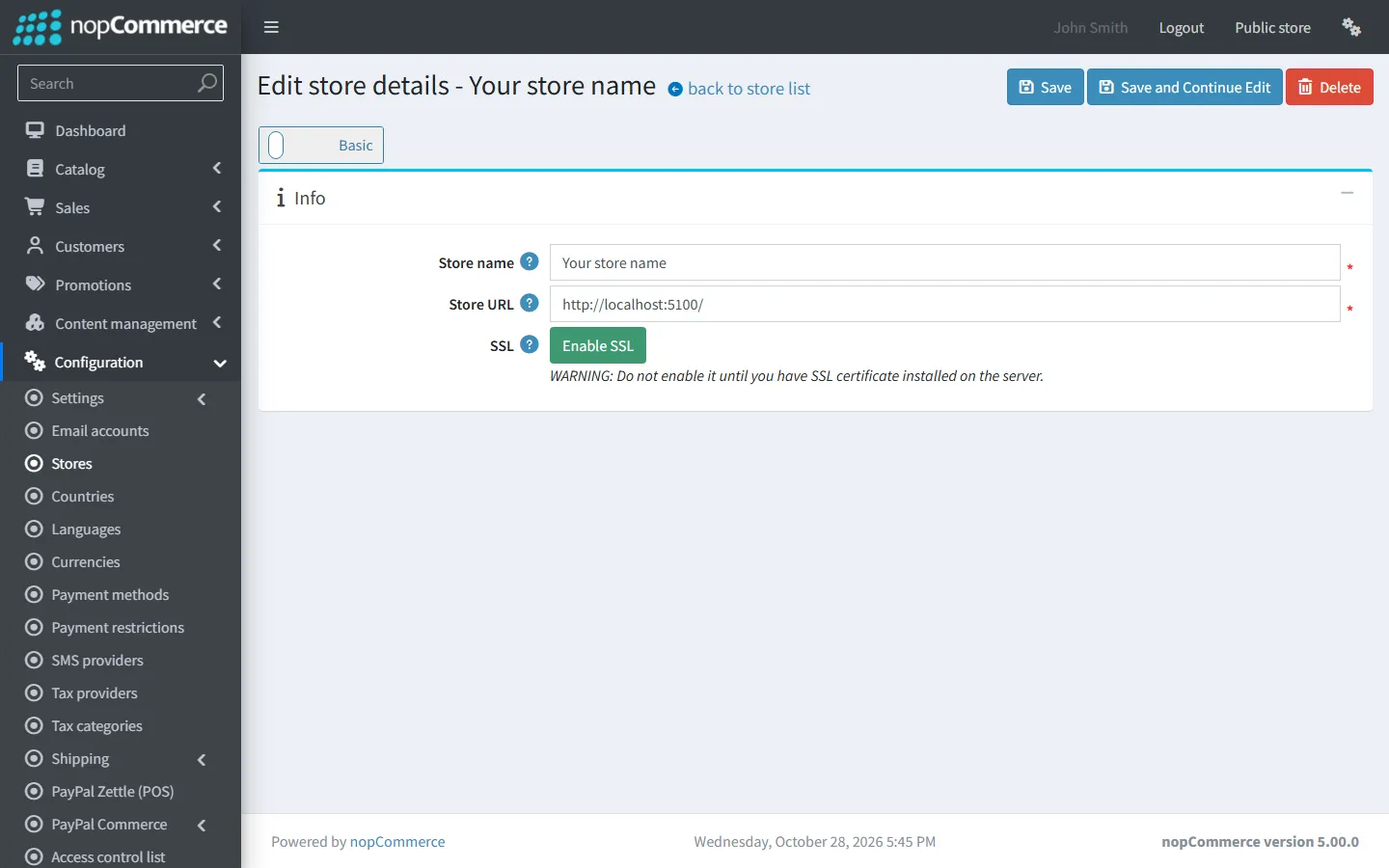
Store URL
StorePulse check CONFIG-001
What StorePulse checks
That this store’s URL is a complete http or https address, with no user name, query string or fragment.
Why it matters
Links in order emails, password resets and the task scheduler all start from this URL.
Common causes
- The URL was entered without https://, or still has the value from a development or staging server.
- The domain changed but the setting didn’t.
How to fix it
- Open Configuration → Stores and edit the store.
- Enter the full public address with a trailing slash, for example https://www.example.com/.
- Save, send yourself a password reset email and check the link opens the live site.
HTTPS setting matches the URL
StorePulse check CONFIG-002
What StorePulse checks
That “SSL enabled” is ticked when the store URL starts with https, and not ticked when it starts with http.
Why it matters
A mismatch makes nopCommerce generate links with the wrong scheme, which can cause redirect loops, mixed-content warnings and failed scheduled tasks.
Common causes
- HTTPS was added (or removed) at the host without updating both settings in nopCommerce.
How to fix it
- Open Configuration → Stores and edit the store.
- Make “SSL enabled” match the URL, then save.
- If the site sits behind a proxy or load balancer that ends HTTPS, make sure it passes the original scheme (X-Forwarded-Proto) and that the hosting settings in App_Data/appsettings.json are set to use it.
- Open the site in a private window and check that it loads without a redirect loop.
SSL certificate expiry
StorePulse check CONFIG-004
What StorePulse checks
How many days are left on the certificate for this store’s address. StorePulse warns at 30 days and marks 7 days or fewer as critical. The check is off until you turn on “Check SSL certificate expiry” in StorePulse settings, and it only connects to the store’s own address. It also warns when the certificate isn’t trusted.
Why it matters
An expired certificate shows a full-page security warning to every visitor, and sales stop until it’s fixed.
Common causes
- Automatic renewal isn’t set up or has started failing, for example after a DNS change.
- The certificate doesn’t cover the domain in the store URL (www versus no www).
How to fix it
- Check the expiry date with your host, CDN or certificate provider.
- Renew it, or set up automatic renewal such as Let’s Encrypt.
- Make sure the certificate covers the exact host in the store URL.
- Scan again to confirm the new date.
Multi-store installations
Each store in Configuration → Stores has its own URL, SSL setting and host values. StorePulse checks the store you are viewing in the admin area. Switch stores and scan again to check the others.
Setting up HTTPS on a new server? Our guide to nopCommerce hosting requirements covers IIS, Linux and Docker setup.
Frequently asked questions
Why do nopCommerce emails link to localhost or an old domain?
Because the store URL in Configuration → Stores still has that value. Update it to the public address; new emails will use it straight away.
How do I force HTTPS in nopCommerce?
Set the store URL to https://, tick “SSL enabled” and install a valid certificate. Redirect plain HTTP to HTTPS at the web server or CDN.
Check your store with StorePulse
StorePulse is a free, read-only nopCommerce plugin from Cartenvo. It runs these checks and 49 more in a few seconds, explains each result and links back to the guide for it. It works on nopCommerce 4.80 and 4.90 and 5.00 and sends no data outside your server.
Rather have someone fix it for you? Email contact@cartenvo.com with what StorePulse found and we will tell you what it takes.
If this keeps happening, we can fix it
If redirect loops or certificate problems keep coming back, we can sort them out as part of our nopCommerce maintenance service.