On this page
Few admins open System → Warnings unless something is already wrong. StorePulse runs the same checks during every manual scan and counts the results, so problems show up next to everything else.
nopCommerce 5.00 admin
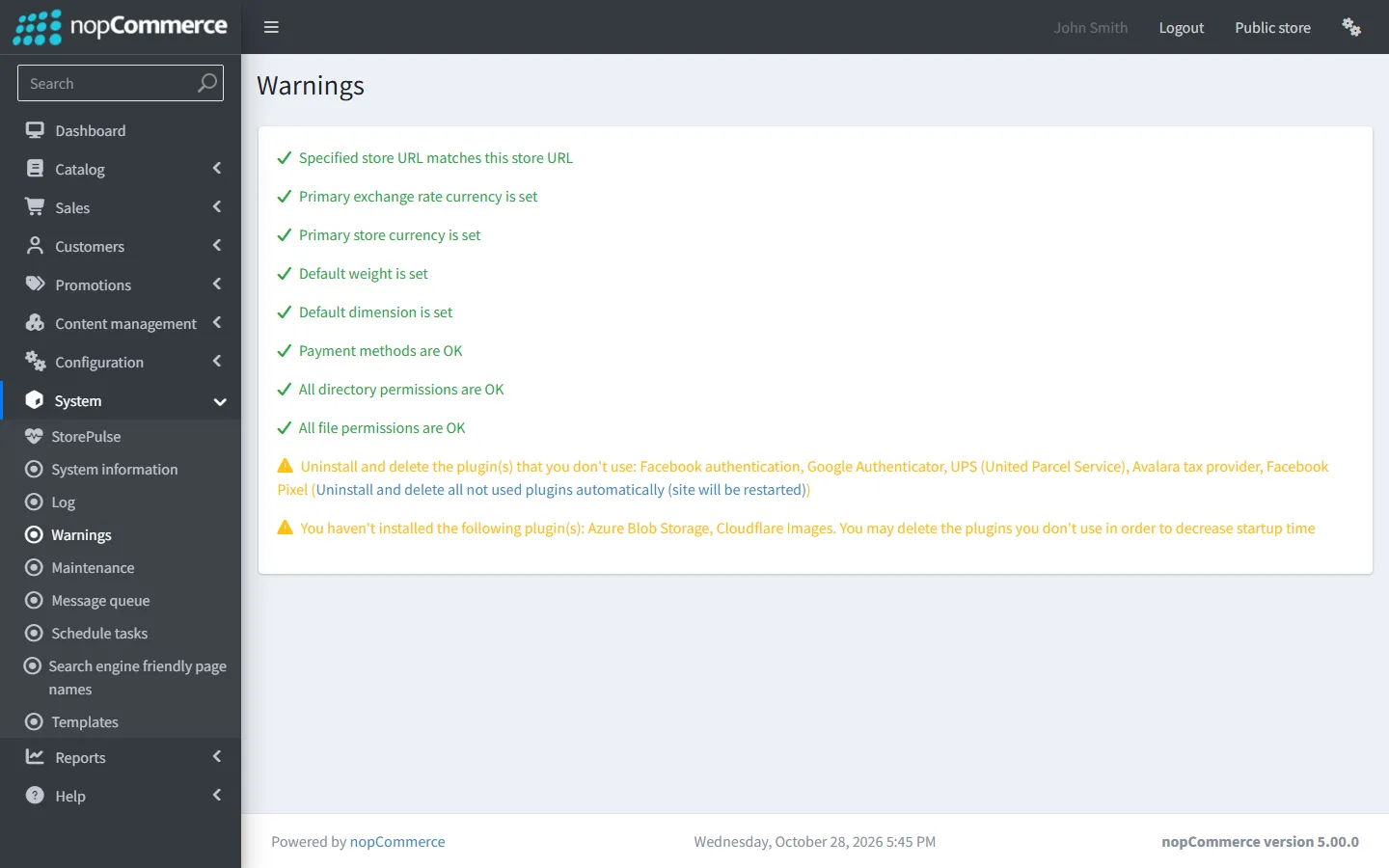
nopCommerce system warnings
StorePulse check CONFIG-008
What StorePulse checks
The items on nopCommerce’s own System → Warnings page. Any failure is critical and any warning gives a warning. This check runs only in manual scans, because the page compares the address you are using.
Why it matters
These warnings point at configuration that breaks checkout, pricing, shipping or file uploads, and at plugins that don’t load.
Common causes
- No active payment method, primary currency or exchange-rate currency.
- No default weight or dimension, or a ratio that isn’t 1 for the primary one.
- The store URL doesn’t match the address you are browsing.
- Folders such as App_Data, wwwroot/images and Plugins that the application can’t write to.
- Plugins that aren’t compatible, miss files, conflict with each other’s libraries or override the same service.
How to fix it
- Open System → Warnings.
- Fix each red item, then the yellow ones. Most link to the settings page that fixes them.
- Scan again with StorePulse to confirm.
The most common warnings and their fixes
Grouped by what you need to change.
- Store URL doesn’t match: set the URL in Configuration → Stores to the public address you use.
- Primary or exchange-rate currency not set: open Configuration → Currencies and set both.
- Default weight or dimension not set: open Configuration → Shipping → Measures and set a primary weight and dimension with a ratio of 1.
- No active payment methods: enable at least one in Configuration → Payment methods.
- Directory or file permissions: give the application pool or service user write access to the listed folders and files.
- Plugin not compatible, missing assembly or assembly collision: see the plugin load errors guide.
- Plugins override the same service: two plugins replace the same nopCommerce service, so only one wins. Remove one or ask the vendors.
Running the store on more than one server? Each server keeps its own cache unless they share one; see our guide to caching and Redis setup.
Frequently asked questions
Are nopCommerce system warnings dangerous?
Red items usually affect customers directly, such as no way to pay or broken uploads. Yellow items are worth fixing but often don’t stop the store working.
Check your store with StorePulse
StorePulse is a free, read-only nopCommerce plugin from Cartenvo. It runs these checks and 51 more in a few seconds, explains each result and links back to the guide for it. It works on nopCommerce 4.80 and 4.90 and 5.00 and sends no data outside your server.
Rather have someone fix it for you? Email contact@cartenvo.com with what StorePulse found and we will tell you what it takes.
If this keeps happening, we can fix it
If warnings keep returning after you fix them, we can find out why as part of our nopCommerce maintenance service.